At EyeSeeTea, we want our tools to be practical. Managing users in DHIS2 can often feel like a bottleneck, especially when everyday tasks are restricted to just a few administrators.
The latest version of User Extended (v1.7.0) focuses on making these processes more flexible, allowing teams to delegate tasks safely and manage more components from a single interface.
Managing roles, groups and dashboards
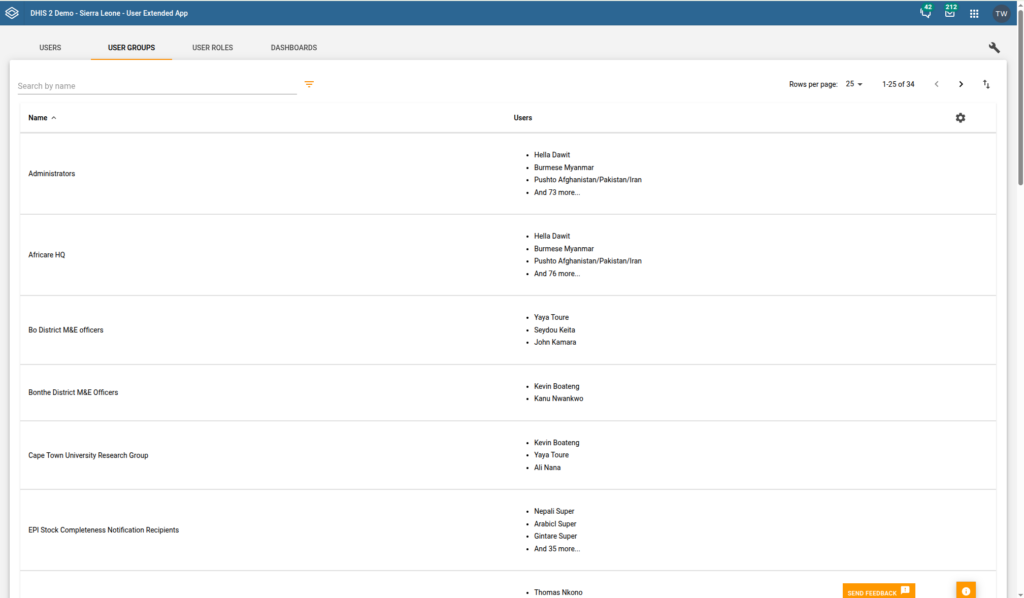
We have expanded the app’s scope beyond the user table. You can now manage User Roles, User Groups, and Dashboards directly.
The goal is simple: to save you time. Instead of navigating through different menus in DHIS2, you can perform bulk operations across these categories in one place, keeping your instance organised with less effort.
Better settings for better delegation
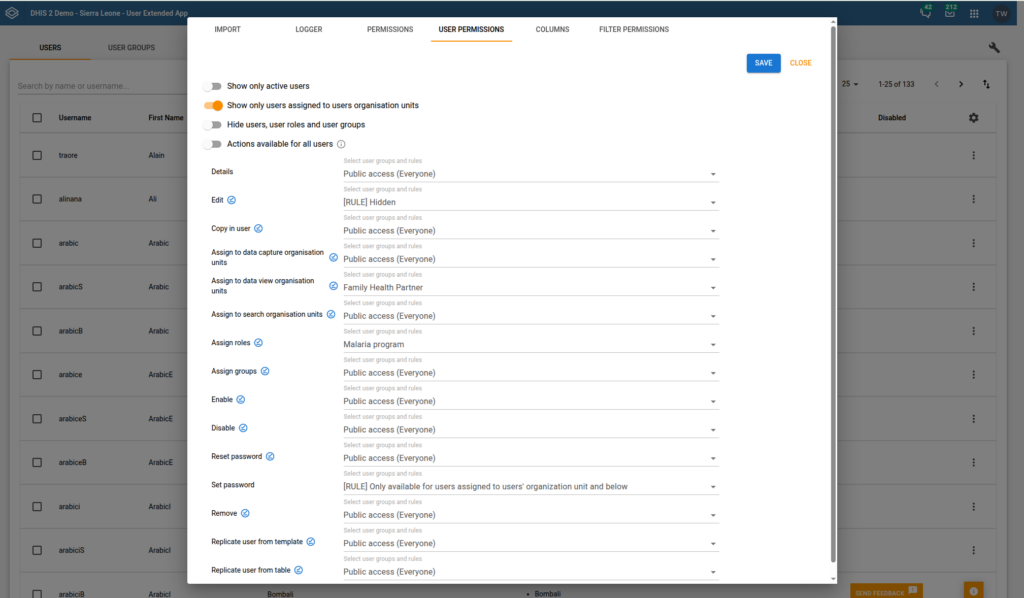
One of the main goals of this release is to allow non-admin users to help with user management without compromising security. We’ve added new configuration options that let you decide exactly what each person can see and do:
- Control visibility: Choose which actions (such as resetting passwords or replicating users) are available to specific groups.
- Simplify the interface: You can now hide or show columns and filters to keep the workspace clean and relevant to the task at hand.
- Set boundaries: You can restrict actions to specific Organisation Units, making it easier to delegate management to local focal points safely.
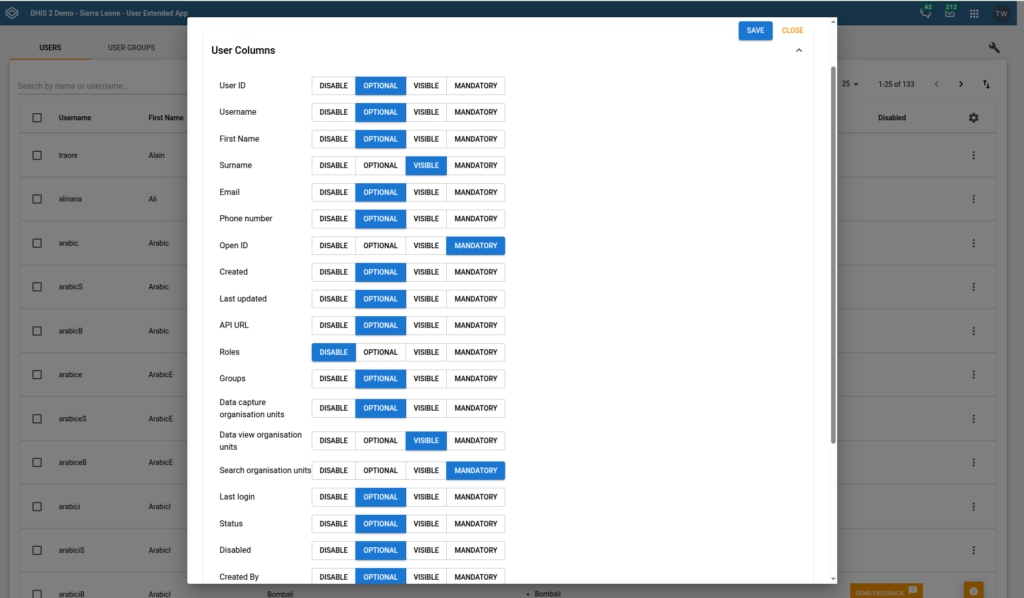
Updated for DHIS2 2.42
To ensure the tool remains reliable, v1.7.0 is fully compatible with DHIS2 2.42. We have also updated our internal build system (migrating to Vite and Yarn 4) and upgraded all project dependencies to provide a secure baseline. While these are technical changes “under the hood”, they result in a faster, more stable, and more secure experience for everyone.
A collaborative effort
This update was implemented by EyeSeeTea with the support of OCBA (Médecins Sans Frontières). It’s through these types of collaborations that we can keep improving our tools to meet the real needs of the global health community.
Getting started
You can check the full list of changes and download the new version on GitHub.
As always, we are keen to hear how these changes work for you in the field. Your feedback helps us keep our tools useful and relevant.